A3 vs A4 and Colour vs Mono: Choosing the Right Printer Lease
Guessing between A3 or A4, and colour or mono, can strain a budget because each choice changes the device class and monthly figure.
Read the short answer, then ask for a quote.
Call for your quote: 1300 873 460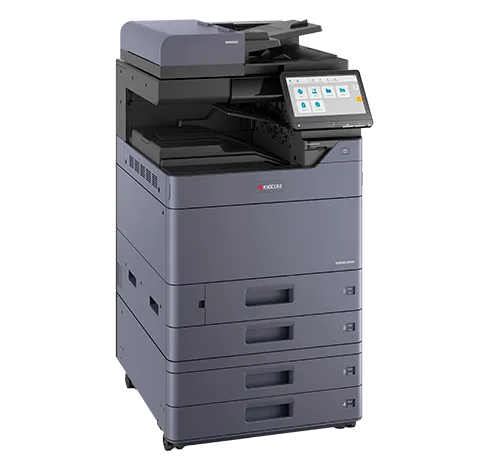
Enquired on Monday and had a printer installed by Friday. Fast, easy, and exactly what we needed.
Request your lease quote
Last updated: October 2026
A3 vs A4 and Colour vs Mono: Choosing the Right Printer Lease
A3 handles floor plans and signage that A4 cannot, and colour needs four toners where mono needs one, so both choices change your device class and monthly figure.
LeasemyPrinter entry tier leases start from $160 a month (plus GST) on a 36 to 60 month term, with toner, parts and service labour included, so you only buy paper.
How it works
Which device class fits your office?
Pick the row that fits your office.
- A4 mono MFPunder 1,000 pages
1 to 5 staff, under 1,000 pages per month
- A4 colour MFP1,000 to 3,000 pages
5 to 15 staff, 1,000 to 3,000 pages per month
- A3 colour MFP3,000 to 8,000 pages
10 to 30 staff, 3,000 to 8,000 pages per month
- A3 colour high volume8,000+ pages
30+ staff, 8,000+ pages per month, finishing options
A3 or A4: what actually decides it
A3 suits offices that regularly print floor plans, spreadsheets across facing pages, legal exhibits or signage, because an A3 device prints and copies both A3 and A4 from the same tray.
A4 suits offices that mostly print letters, invoices and standard reports, where a smaller desktop device covers the job without paying for A3 capacity that sits idle.
The deciding question is not the paper size alone, it is whether any regular part of your workload needs a sheet larger than A4.
A blended office, printing standard letters most days but running occasional A3 drawings or posters, still needs an A3 multifunction on site rather than outsourcing those jobs.
Colour or mono: what actually decides it
Mono printing uses a single black toner and a longer life drum, which keeps the device and the monthly figure at the entry end for text heavy offices.
Colour printing draws on four toners and more complex consumables, which is why colour heavy volume moves you to a higher device tier built for that duty cycle.
Across the wider Australian market, many managed print agreements charge a separate cost per page figure, with colour priced above mono.
That industry figure describes the wider market, not how LeasemyPrinter bills: toner, parts and service labour sit inside the monthly set plan, and paper is the only separate cost.
The deciding question is how much of your regular output is client facing colour work, such as proposals and marketing material, against internal mono paperwork.
How the two choices change your device and your monthly figure
An A4 mono workhorse, such as an entry level Kyocera, sits at the entry end of the range.
LeasemyPrinter leases from that entry tier start from $160 a month (plus GST) on a 36 to 60 month term, with toner, parts, service labour and call outs included in the monthly set plan.
Moving to A3, to colour, or to both lifts the device tier and the monthly figure, because the engine, the toner set and the finishing options all scale with the job.
Entry class A3 mono multifunction devices such as the Toshiba eStudio 2528A run around 25 pages per minute on A4, with up to 1200 by 1200 dpi through the PostScript driver, enough for most SME quote packs and floor plans.
There is no page allowance and no per page rate on these leases: the monthly set plan covers toner, parts, service labour and call outs, and paper is the only separate cost.
How to decide without guessing
- Pull your last three months of print jobs and separate anything larger than A4, such as floor plans, spreadsheets or signage.
- Count what share of your monthly pages needs colour, such as proposals and marketing material, against plain text paperwork.
- Match that mix to a device class: A4 mono, A4 colour, A3 mono or A3 colour multifunction.
- Request a quote for that class on a 36 to 60 month term so toner, parts, service labour and call outs are already inside the monthly figure.
Not sure which printer suits your office?
Answer 5 quick questions about your print volume, colour use and lease length.
The free quiz takes about 2 minutes and matches you to one Kyocera printer sized for your office.
Other brands we lease are quoted on request. No obligation.
Ready for your own quote?
No obligation.
Get your printer lease quote
Frequently asked questions
Do I need an A3 printer or is A4 enough?
A3 suits offices that regularly print floor plans, spreadsheets across facing pages, legal exhibits or signage, because an A3 device prints and copies both sizes from the same tray.
Offices that mostly print letters, invoices and standard reports can run on A4 and pay for less capacity.
Should I lease a colour or mono printer?
Choose colour if a meaningful share of your monthly output is client facing, such as proposals, brochures or marketing material.
Choose mono if most pages are internal paperwork, since mono uses a single toner and keeps the device and the monthly figure at the entry end.
Does colour cost more than mono on a leased printer?
Across the wider Australian market, many managed print agreements charge more per page for colour than for mono.
On a LeasemyPrinter lease there is no per page rate: colour heavy volume moves you to a higher device tier and monthly figure, and toner, parts and service labour are already included.
How much does an A3 colour multifunction lease cost compared to an A4 mono printer?
LeasemyPrinter entry tier leases start from $160 a month (plus GST) on a 36 to 60 month term, for an A4 mono or small workgroup A3 multifunction device such as an entry level Kyocera.
A3 colour devices sit higher on the same scale because the engine, toner set and finishing options all step up.
What speed should I expect from an A3 multifunction printer?
Entry class A3 mono multifunction devices such as the Toshiba eStudio 2528A run around 25 pages per minute on A4, with up to 1200 by 1200 dpi through the PostScript driver, which covers most SME quote packs and floor plans without a wait.
Tired of surprise toner and repair bills? Tell us about your office.
Get My Free QuotePrefer to talk? Call 1300 873 460
Not ready for a quote yet?
Book a time for us to call you, or read the buyer's guide first.
Related lease cost guides
- what a printer lease costs by device and team size
- the steps to set up a printer lease
- how much a copier lease costs
- what a copy machine costs each month
- what a wide format plotter costs each month
- copier leasing for a small team
- Sizing an Office Printer to Your Workload
- the case for leasing against buying outright
- the difference between the two lease structures
- what happens when the term runs out
- what the monthly figure actually covers
- Should You Hire or Lease a Printer
- putting several offices on one agreement
- Compare Toshiba vs Kyocera printer lease options
- See all printer leasing services and pricing
- Printer leasing across Australia
- Mid North Coast NSW printer leasing pricing and service area
- What a Toshiba Lease Covers in Port Macquarie
- Toshiba Leasing for Manning Valley Offices
- Printer lease renewal checklist for Australian businesses
- EOFY printer lease and tax deduction guide
- Printer lease vs buy calculator: run your own numbers
- Estimate your monthly print volume to size your lease
- Compare Toshiba vs Kyocera printer lease for your office
- Compare Toshiba vs HP office printer lease
- What an operating lease is
- What cost per page means, and why our leases do not bill it
- How GST applies to printer leases
- What a lease term is (36 to 60 months)
- Printer and copier leasing glossary

Cyrus Dickie
Founder, LeasemyPrinter (Global Document Solutions Pty Ltd)
You deal with the founder directly, from first quote to ongoing support, since 2010.
Authored by Cyrus Dickie, Founder at LeasemyPrinter (Global Document Solutions Pty Ltd). In the industry since 2010.